


One row
Best for short loops: walk cycles, idle breathing, a spinning coin. Every frame sits on one line, so slicing is just the sheet width divided by the frame count. Auto uses a single row for up to 8 frames.
Drop in the frames you already have — exported from Aseprite, drawn by hand, or generated elsewhere — and get one game-ready sprite sheet PNG. Everything runs in your browser; nothing is uploaded.
Don't have frames yet? Let the AI sprite creator draw the character and the animation for you.
Never built one before? Read how to make a sprite sheet →
One image file = one frame. GIFs are imported as a single still image; this tool does not split animations.
Click to pack real images. Loading an example replaces the current images.
Columns = images per row. Padding adds space around each image.
Add frames to build the sheet
Load an example above, or add your own images on the left.
Transparent PNG · original pixels · no server upload
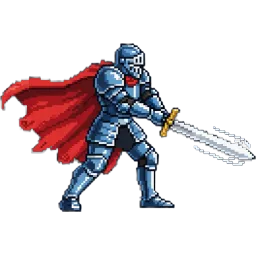
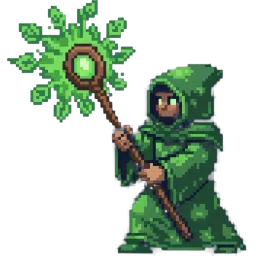
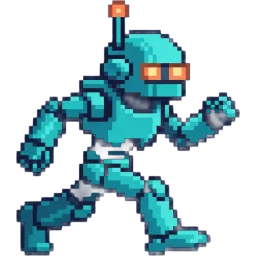
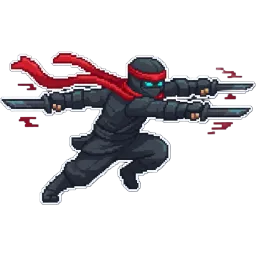

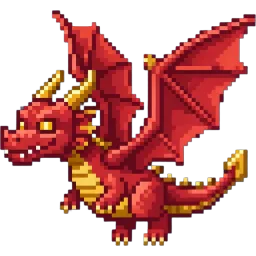
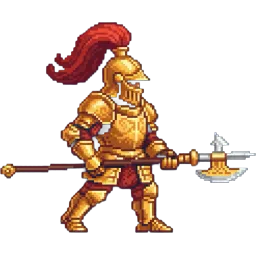
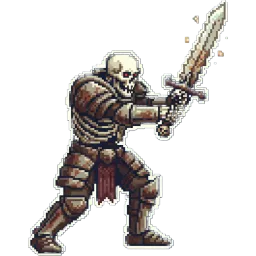
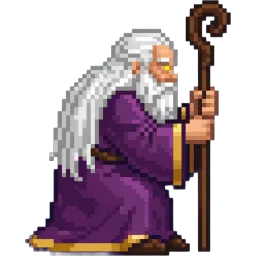
Explore a different cast of characters, then pack your own frames into a uniform grid. The artwork below is a layout illustration.
Pack my frames Three steps, all inside your browser.
Drag and drop the individual frame images. They are sorted by filename, so walk_01, walk_02 … land in the right order. Reorder or remove any frame with one click.
Choose how many columns the sheet has — or leave it on auto for a single row up to 8 frames. Add 1–4 px of padding to stop neighbouring frames bleeding when the engine samples them.
Every frame keeps its original pixels. Cells are uniform (largest width × largest height) and frames sit on a shared baseline, so engines can slice the sheet with a fixed grid.
A sprite sheet combines separate images into one PNG. Choose columns and padding, and keep every original pixel.
Original pixels
Images are never resized when packed.
Consistent cells
The widest and tallest frame determine the shared cell size.
Local processing
Packing and PNG export happen entirely on your device.
How the packer lays your frames out, in numbers.
| Sprite Sheet Maker | |
|---|---|
| [R01] Input | PNG, WebP, GIF or JPEG; one file is one frame |
| [R02] Cell size | The widest frame × the tallest frame |
| [R03] Alignment | Centred horizontally, aligned to the bottom — feet stay on one baseline |
| [R04] Scaling | None. Original pixels are kept |
| [R05] Columns | Auto, 1, 2, 4 or 8 |
| [R06] Padding | 0, 1, 2 or 4 px |
| [R07] Order | By filename, then drag to reorder |
| [R08] Output | PNG |
| [R09] Where it runs | Your browser; nothing uploaded |
Columns decide the shape of the sheet. The right number depends on the animation and on how your engine slices it.
Best for short loops: walk cycles, idle breathing, a spinning coin. Every frame sits on one line, so slicing is just the sheet width divided by the frame count. Auto uses a single row for up to 8 frames.
Packing several actions into one sheet? If each has the same number of frames, set columns to that number — 4 or 8 — and every action gets its own row, with frame 1 of each lined up in the first column.
A vertical strip. Some CSS animations and older engines expect frames stacked top to bottom.
With more than 8 frames, Auto switches to a near-square grid — 12 frames become 4 × 3. A square sheet stays within the texture size limits of mobile GPUs, where a 40-frame single row can grow too wide.
What game developers ask before packing their frames.
Yes, completely. It runs in your browser, has no frame limit, and needs no account. Only the AI sprite creator on the home page uses credits.
No. Frames are read and packed with the browser's canvas API on your machine. Nothing leaves your device.
The cell size is set by the widest and tallest frame. Smaller frames are centred horizontally and aligned to the bottom, so characters keep their feet on the same baseline. Frames are never scaled.
Any engine that slices a sheet by a fixed grid — Unity, Godot, GameMaker, Phaser, Pygame and more. Use the cell size shown under the preview as your frame width and height.
Yes. The sprite creator on the home page draws a character and its animation frames from a text description and hands you the finished sprite sheet.
The sprite sheet maker packs frames you already have into one grid. The sprite maker generates a single new sprite from a text description. One arranges your art, the other draws it.
Describe a character and an action, and the AI sprite creator returns an animated sprite sheet in about a minute.
Four ways to end up with a sprite sheet. Pick the one that matches what you already have.