[TOOL-03]AI · 2 CREDITS PER SPRITE · FREE TRIAL

AI Sprite Maker

Describe it, the AI draws it. One sprite, one click, one transparent PNG at 16, 32, 64 or 128 pixels — ready to drop into Unity, Godot or Phaser.

[SSM-003] AI SPRITE MAKER64 × 64 PX · TRANSPARENT PNG
01 Start from one of theseLoads the description — then edit it into what you need
Any language
Sign in
A reference image is optional — with one, the AI keeps that look
03 Size
PX
04 Try one free, no account needed
Recent

Sign in and everything you generate is kept here.

Need a character that walks and attacks? Use the sprite creator — it returns a whole animated sheet.

05 Result
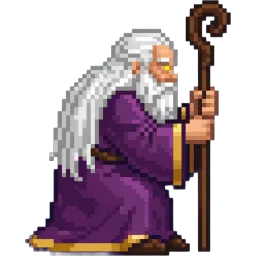
Sample — A village elder, front-facing bustSample
[03]

Make a sprite in three steps

From one sentence to a game-ready PNG.

[01] STEP

Describe your sprite

Type what you need — a health potion icon, a shopkeeper NPC, a skill badge. Add a reference image if you already have the look.

[02] STEP

The AI draws one frame

Pick the pixel size and generate. You get a single sprite, not a sheet.

[03] STEP

Download the PNG

Transparent background at the exact pixel size you chose. Use it in any engine, in any project, commercial ones included.

[04]

One sprite, from one sentence

Describe an item, a character or an icon and the model draws it as pixel art on a transparent background. One frame, not a sheet — for a walk cycle the creator on the home page draws the whole sequence.

[04.A] What you get

  • [01]

    Transparent PNG

    Ready to drop in. No background to cut away.

  • [02]

    Your reference, kept

    Sign in and add a reference image to hold one look across several sprites.

  • [03]

    Commercial use

    Every plan allows it, free tries included.

[STAT-01]
2
Credits per sprite
[STAT-02]
4
Pixel sizes
[STAT-03]
PNG
Transparent output
[06]

Specs

What you give it, what it charges, what you get back.

AI Sprite Maker
[R01] Input A text description, any language
[R02] Reference image Optional, signed-in only; PNG, JPEG or WebP
[R03] Styles SNES, GBA, Stardew, Dark fantasy, Cute
[R04] Views Front (RPG), side, top-down, isometric
[R05] Background Transparent alpha, or one flat colour
[R06] Output sizes 16, 32, 64 or 128 px
[R07] Output format PNG
[R08] Frames One still frame — the home page creator does animation
[R09] Price 2 credits per sprite
[R10] Guests The site's free tries, no account needed
[05]

AI sprite maker FAQ

What game developers ask before generating a sprite.

[+] What is an AI sprite maker?

A tool that draws a game sprite from a text description instead of asking you to paint it pixel by pixel. You write what the sprite should be, the model renders it as pixel art, and you download a transparent PNG.

[+] What is the difference between the sprite maker and the sprite creator?

The sprite maker returns a single still frame — items, icons, NPC portraits. The sprite creator on the home page returns an animated character across several frames, packed into one sprite sheet. Use this page for one image, the home page for an animation.

[+] Can I use the sprites in my game?

Yes, commercial projects included. Every plan, the free trial among them, allows commercial use of what you generate.

[+] Is it really free?

You can generate without an account while your free tries last. After that each sprite costs 2 credits, and creating an account comes with free credits plus a daily check-in bonus.

[+] What sizes can I make?

16 × 16, 32 × 32, 64 × 64 and 128 × 128 pixels. Icons and items usually sit at 32 or 64; portraits and larger props read better at 128.

[+] What if I would rather draw it myself?

Use the pixel art maker. It gives you a grid, a brush and a palette; this page hands you a finished sprite from a sentence. Same site, opposite ends of the same job.
[CTA] SIGN-OFF

Need an animated character instead?

The sprite creator on the home page draws a character and its animation frames, then hands you the finished sprite sheet.

[06]

More tools on this site

Four ways to end up with a sprite sheet. Pick the one that matches what you already have.